Get in touch
alshehabuxd@gmail.com
This is a movie theatre seat reservation app. This app enables the user to select book movie tickets in advance also user can order food and drinks for the theatre
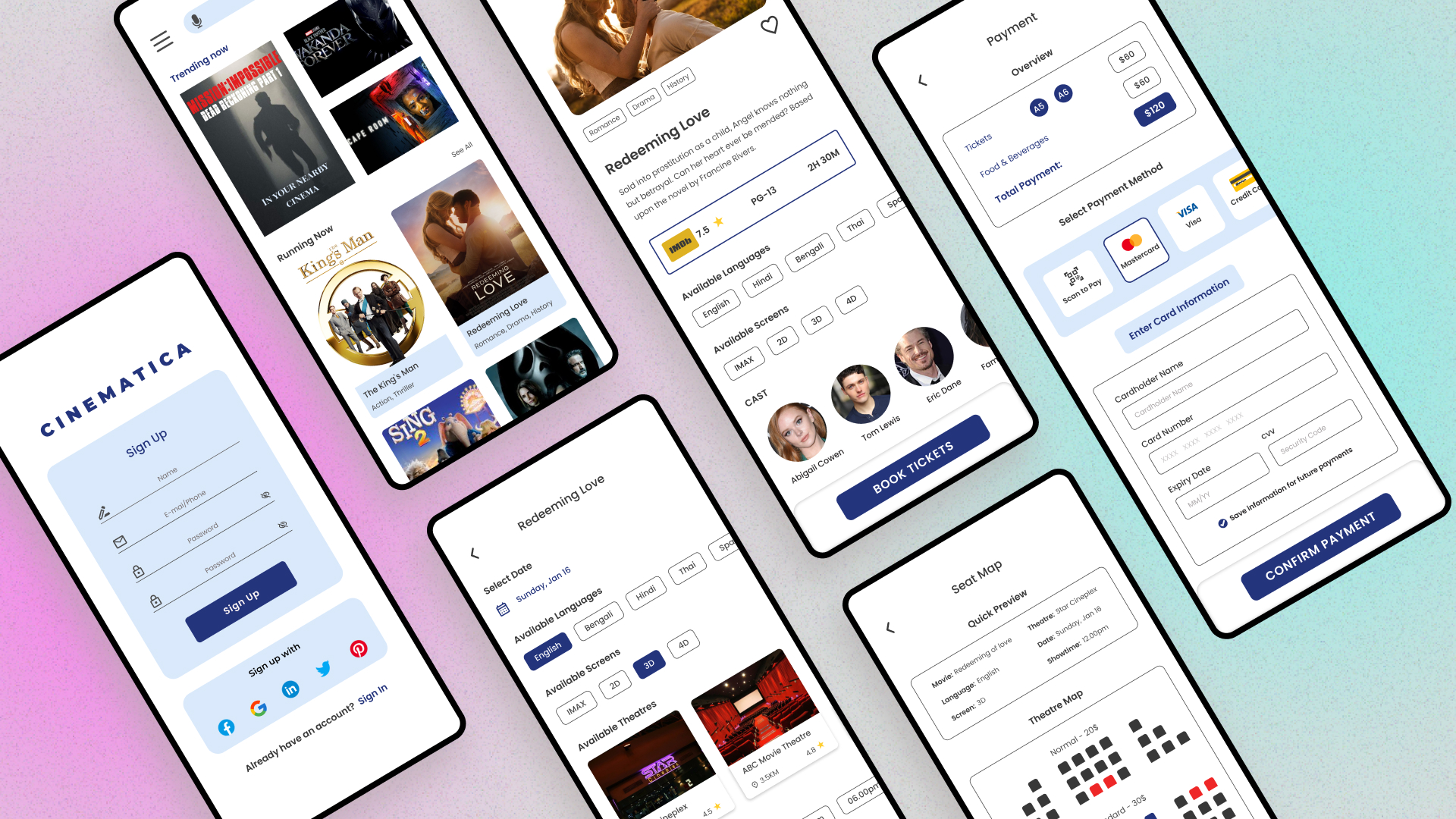
The users can’t pre-book tickets in advance before the movie is released. They are also unable to bookmark the movie that they want to watch later.
I want to make sure that the users can browse the nearby movie theaters easily and book tickets and food items conveniently. I also want to ensure that users are able to bookmark their favorite movies and book tickets for upcoming movies in advance.
In the process of designing the app, I had to conduct user research in several phases of the research plan.
Initially, I had to do user research for creating a persona. By creating the persona, I got to know the frustrations that a user faces while booking movie tickets and what kind of features they would like to see in a movie seat reservation app.
The next user research I conducted was for the usability test of the lo-fi prototype. During the lo-fi prototype usability test, I got feedback from the users and implemented them to the app in order to make sure that the user experience of the app is intuitive, and that the app is accessible to as many people as possible.
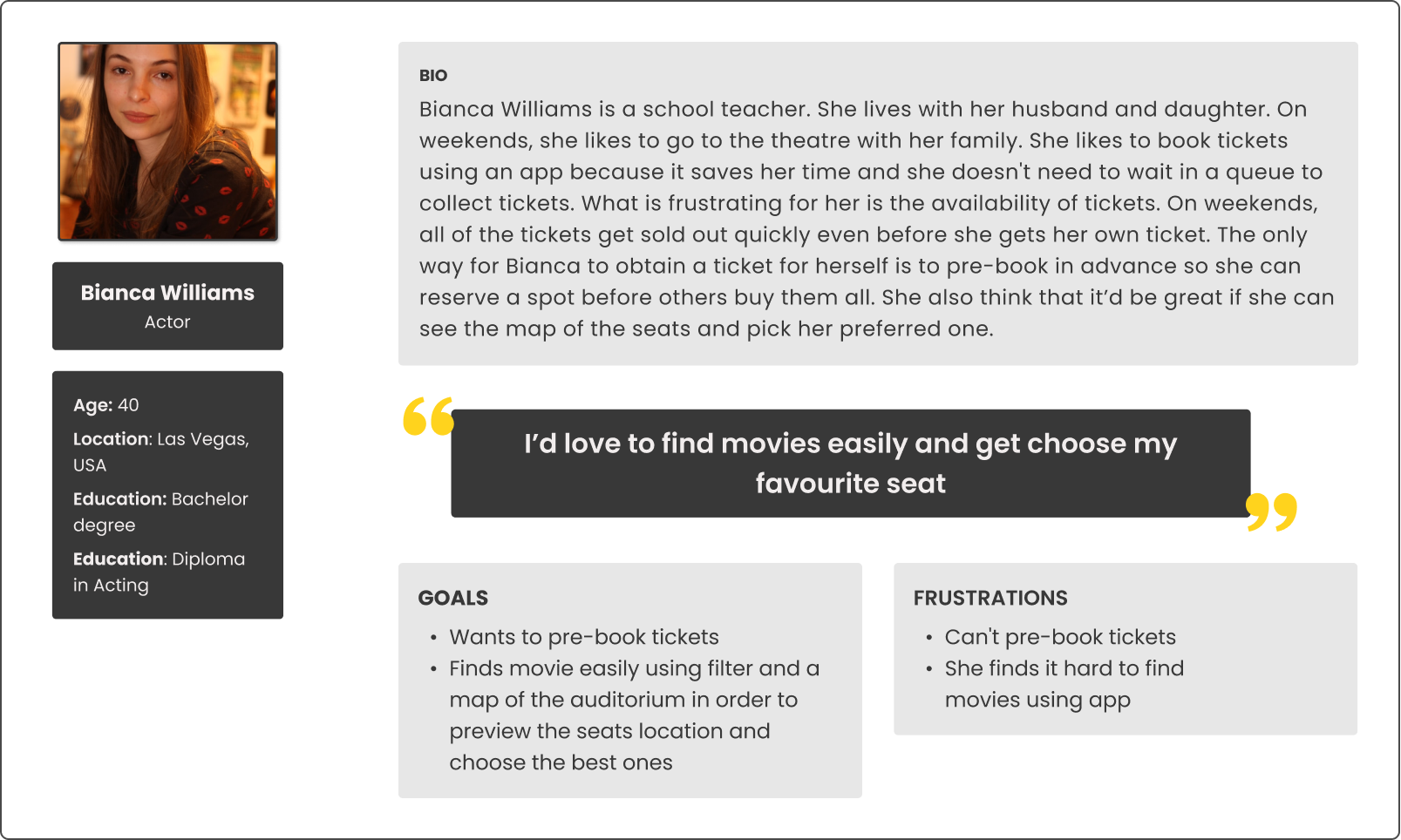
Bianca is a school teacher who needs to find apps useful because she wants to pre-book tickets and collect them without queueing up.
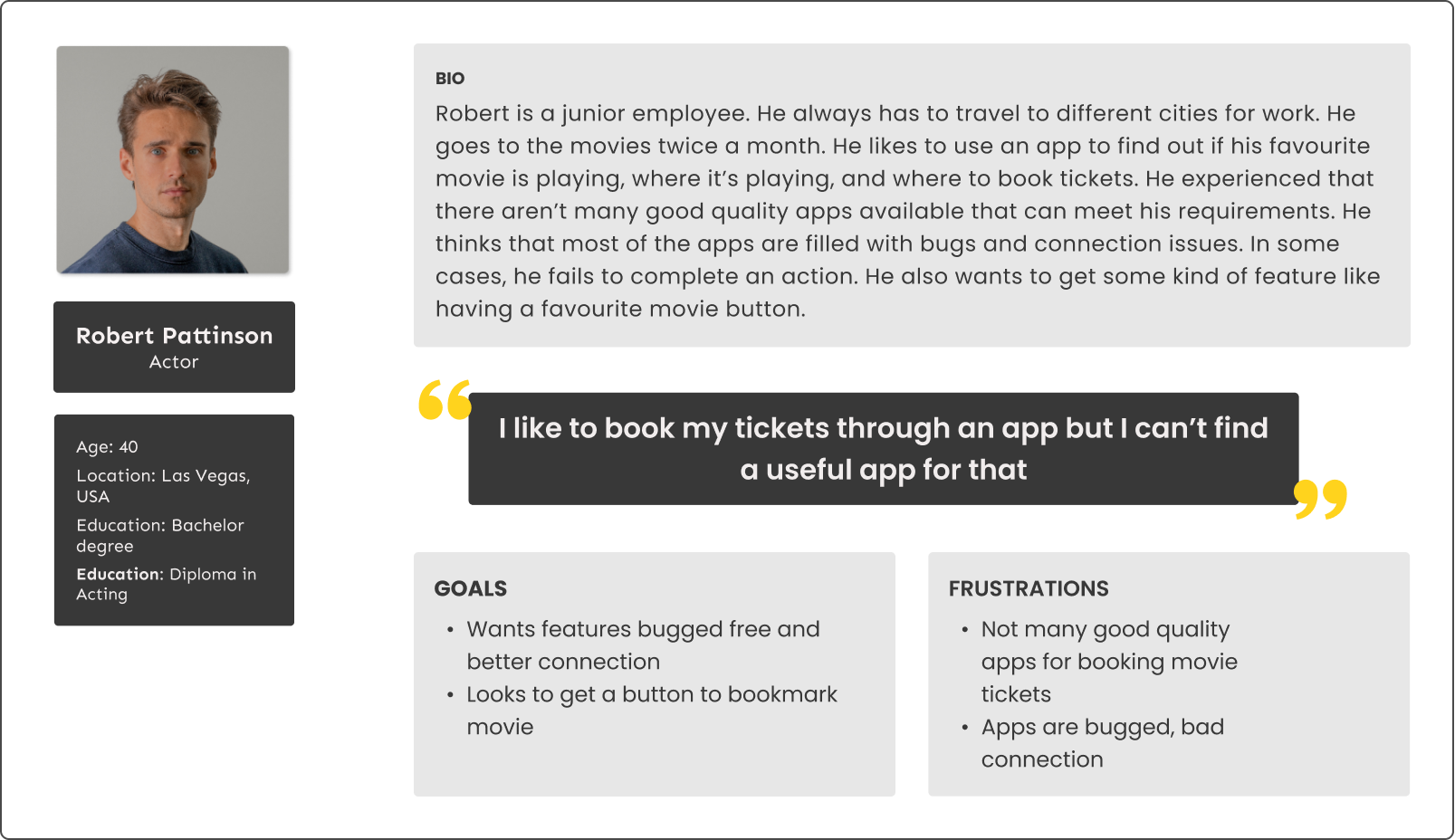
Robert is an actor who needs to find a bug-free tickets reservation app because he wants to book tickets for his nearby theatre.
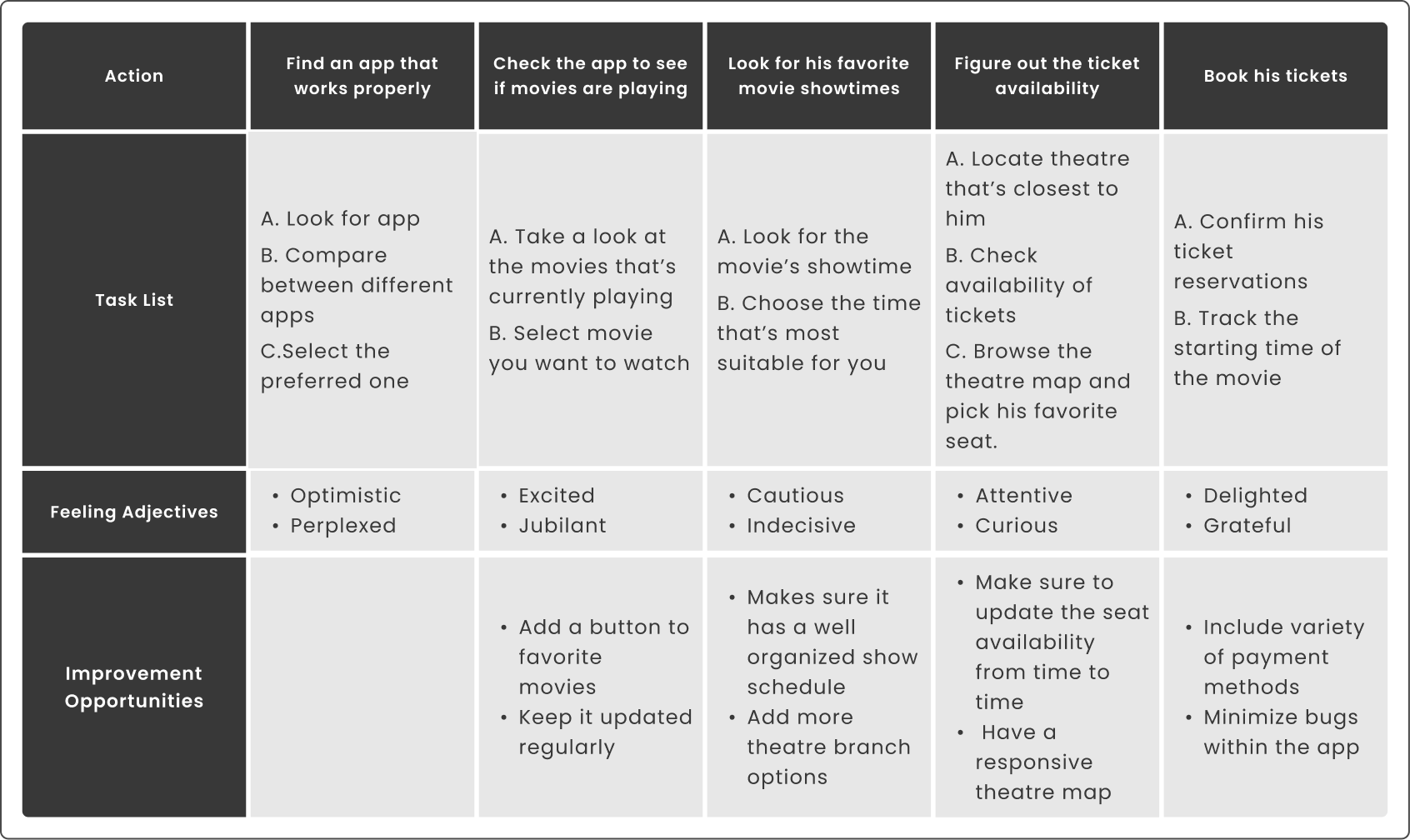
Wants to find a bug-free app so that he can find his favorite movies and book tickets in a quick time
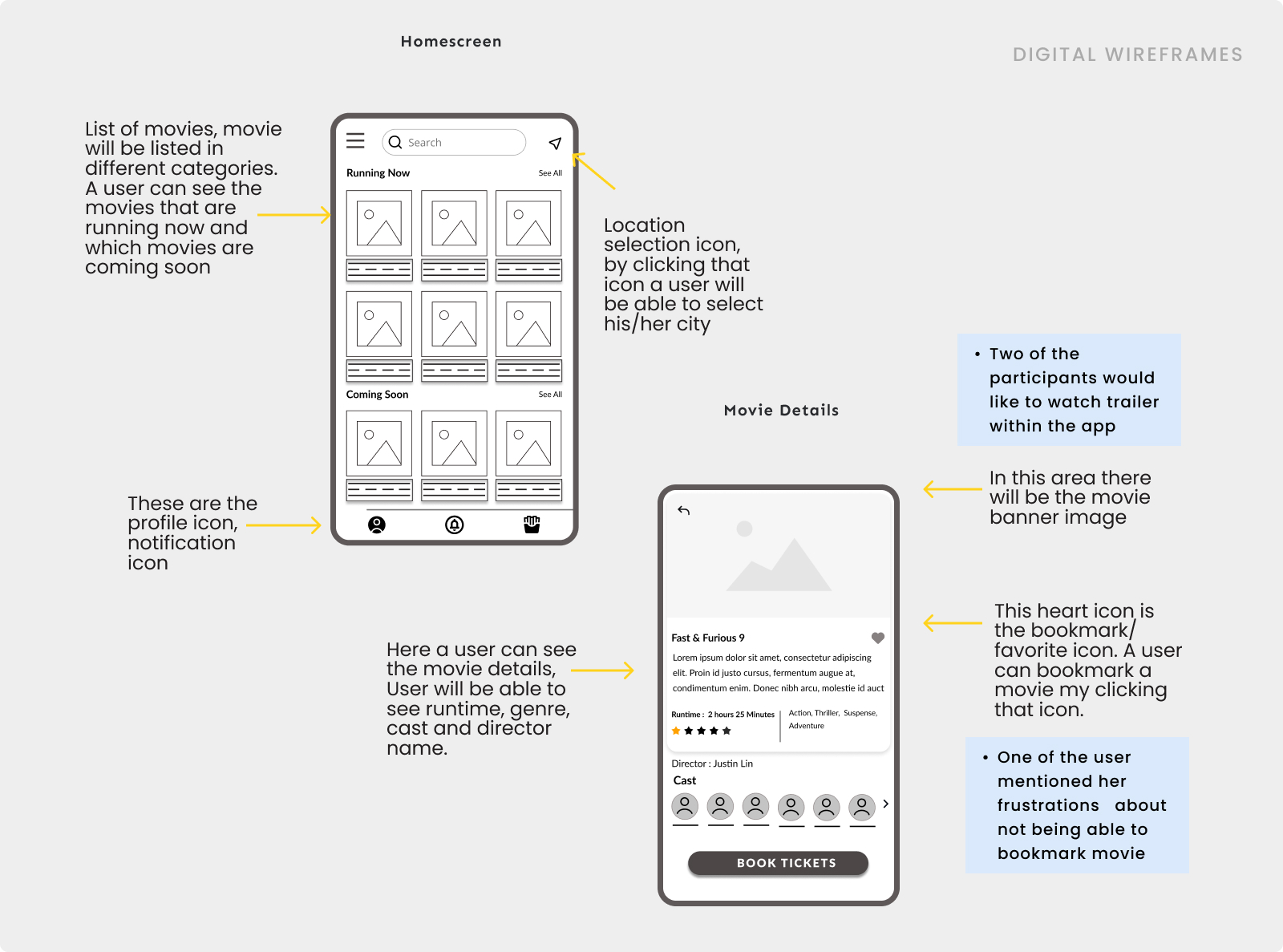
Based on the data that I gathered previously, I wanted to make a home screen where user can easily find their movie, search for movie or even change their location conveniently.
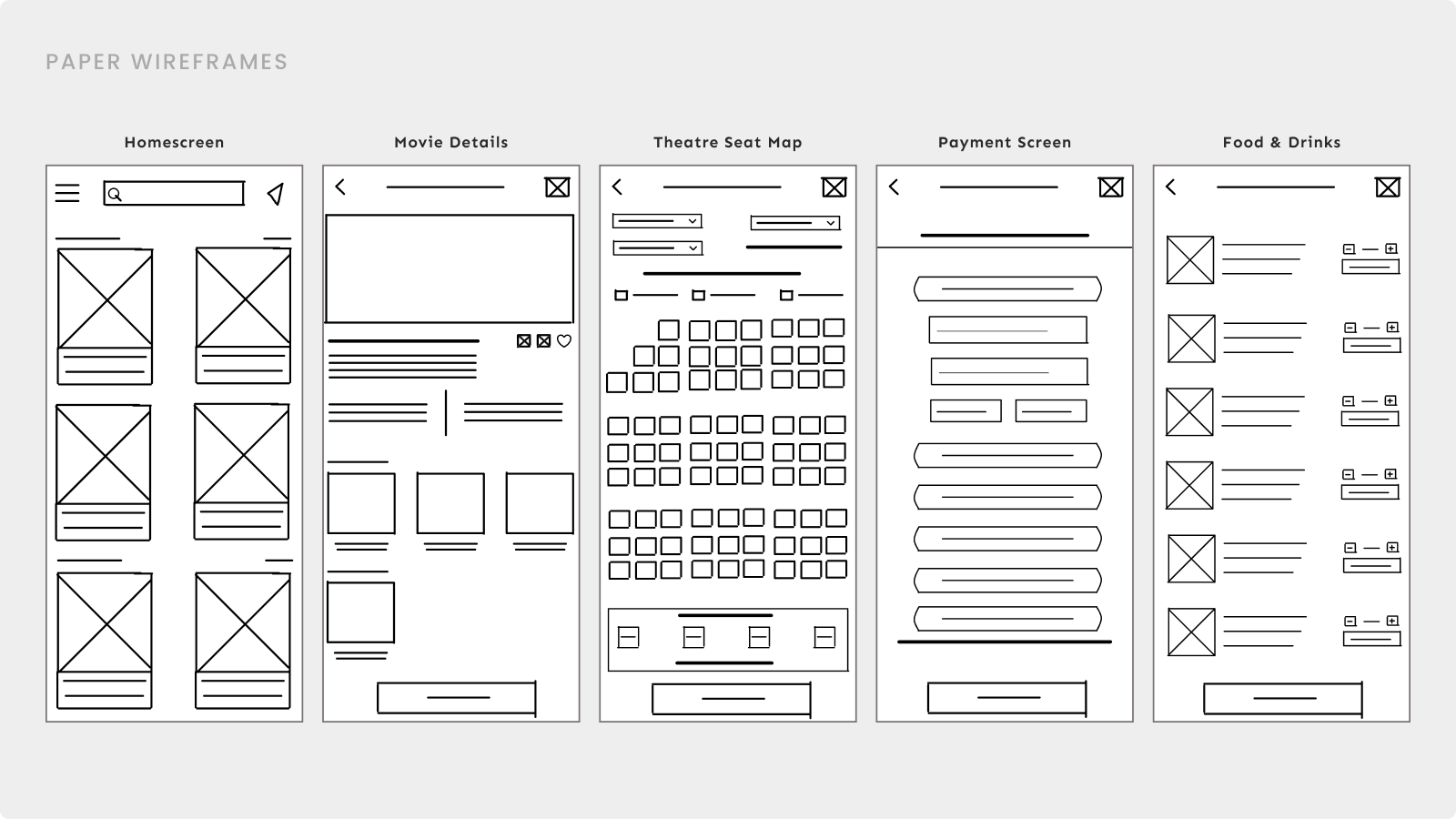
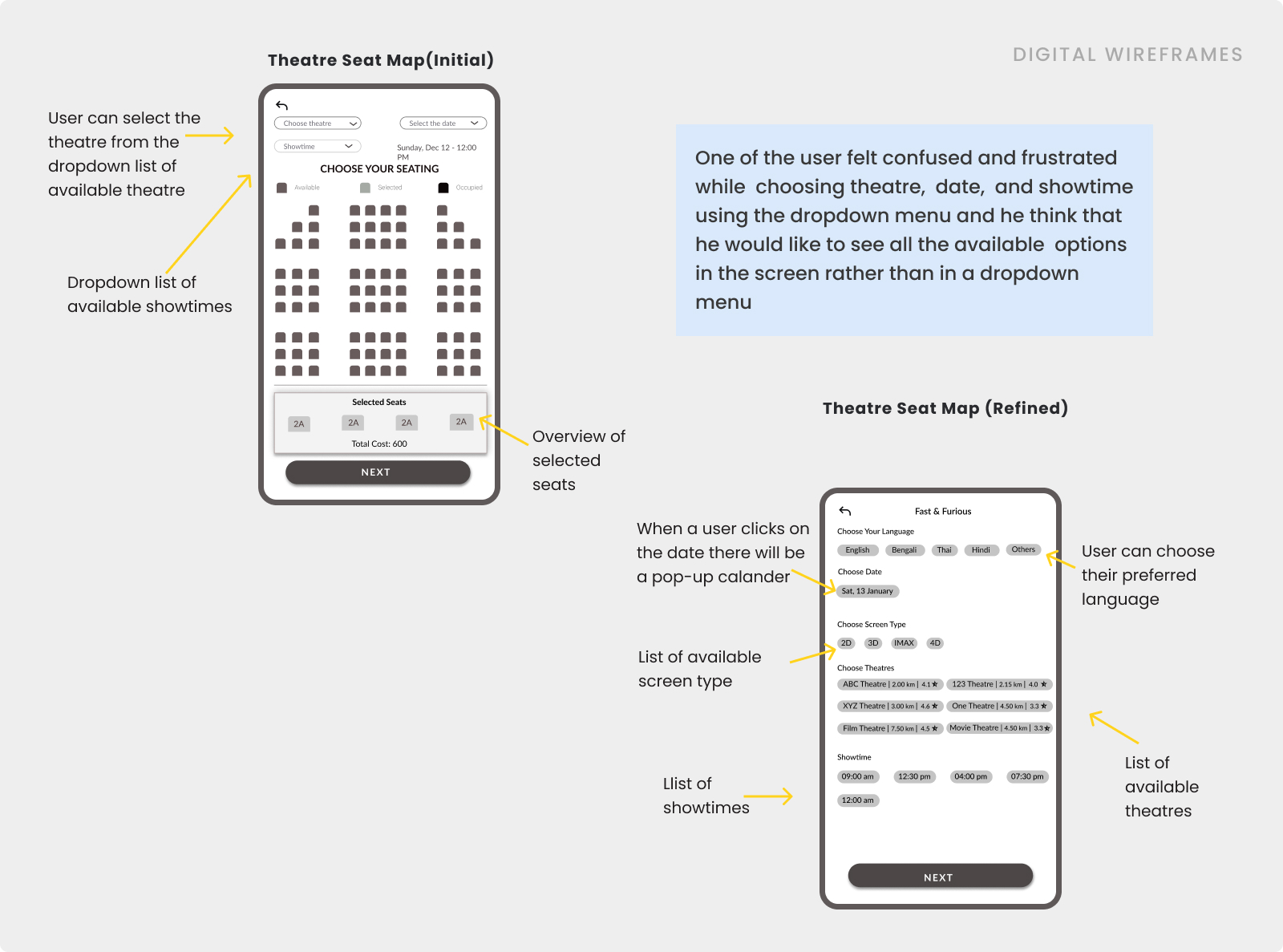
After brainstorming and doing a survey. Based on the data I made my paper wireframes, while making these wireframes I had to keep in mind what will be the main task of the users and how they’d like to complete their task.
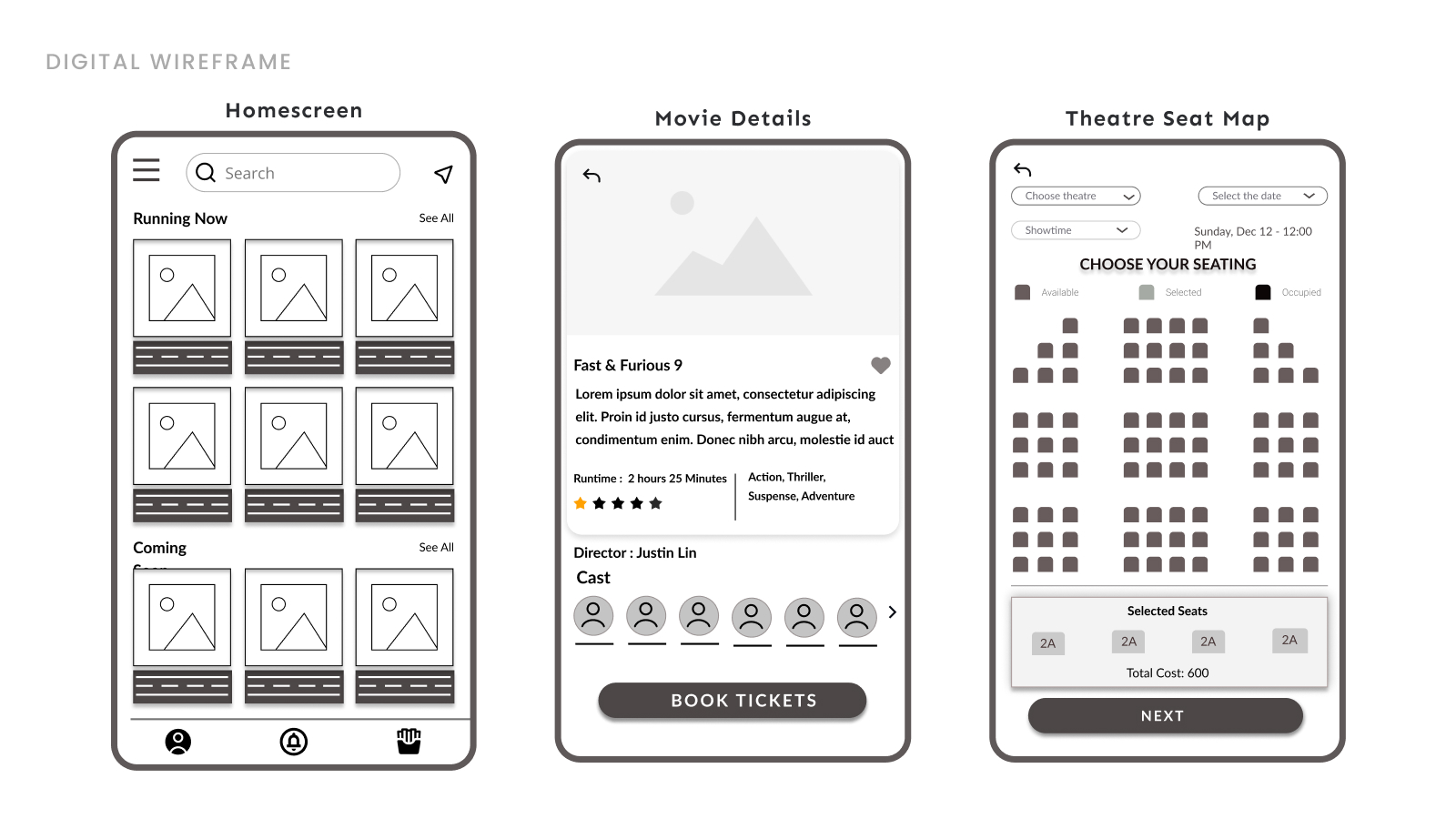
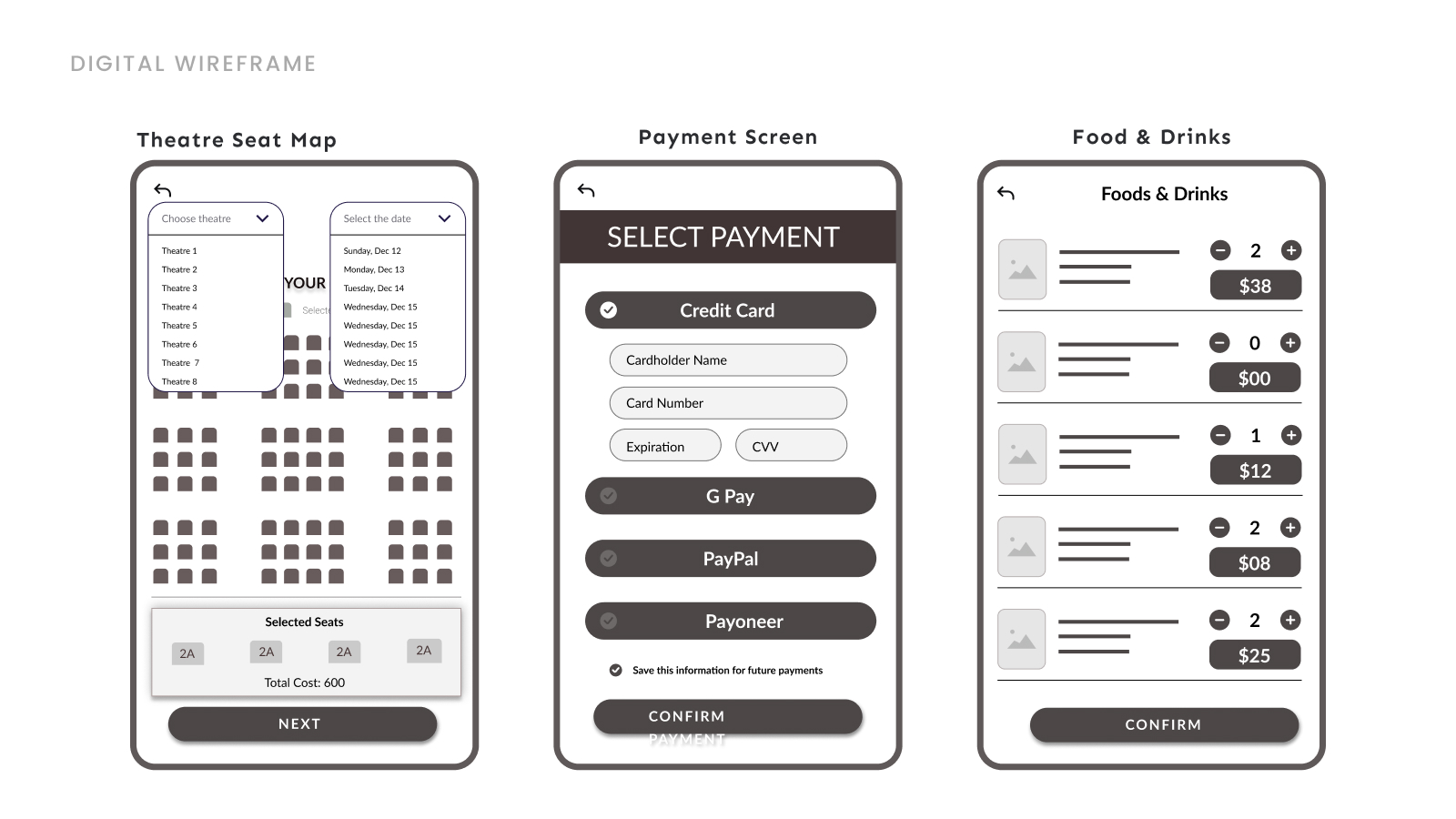
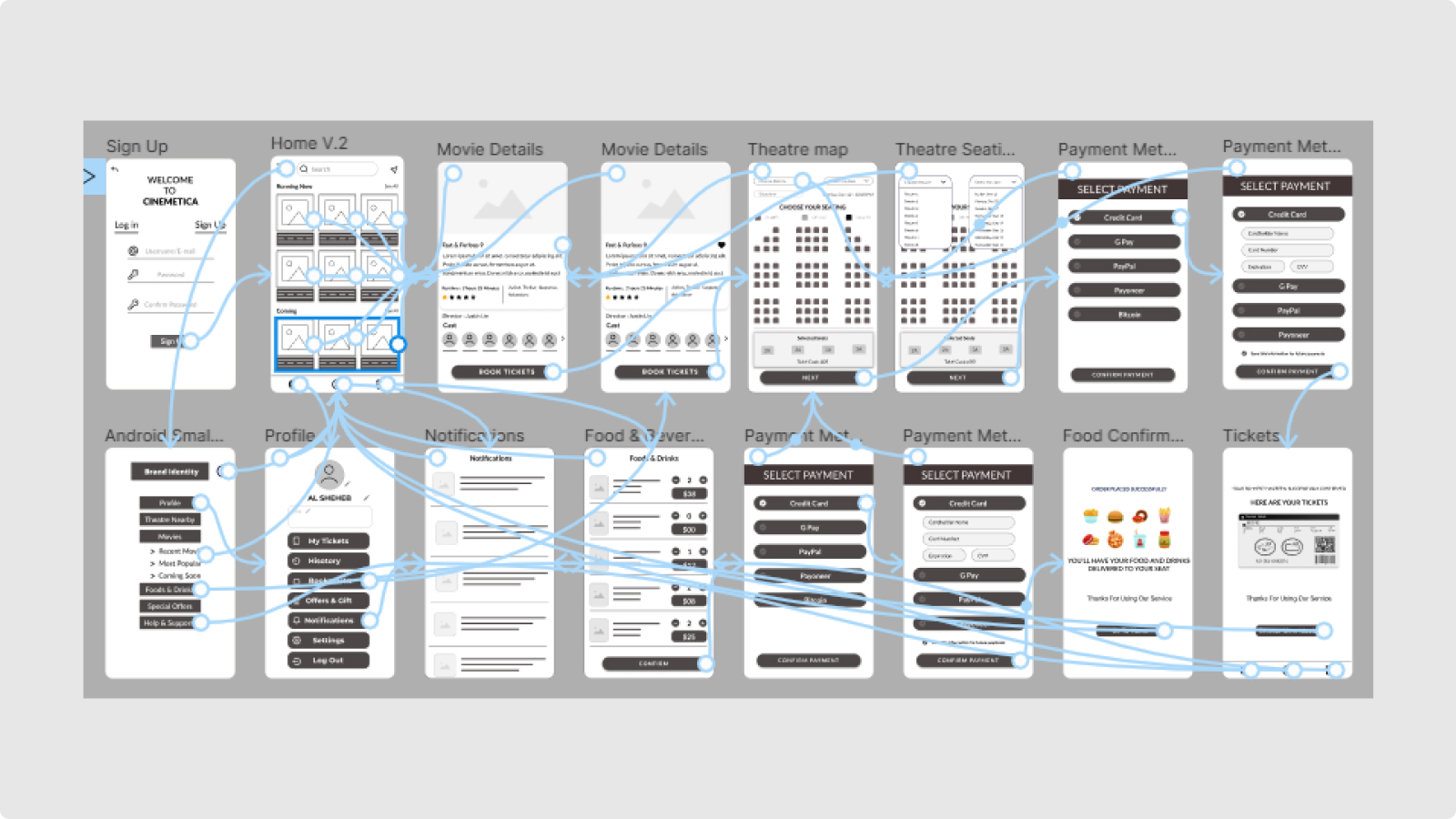
The user flow of this prototype was made to make sure that a user can finish all the processes to book a movie ticket. Users are able to select movies, select the closest theatre, and choose preferred seats, they also have the privilege to order food & drinks for the theatre.
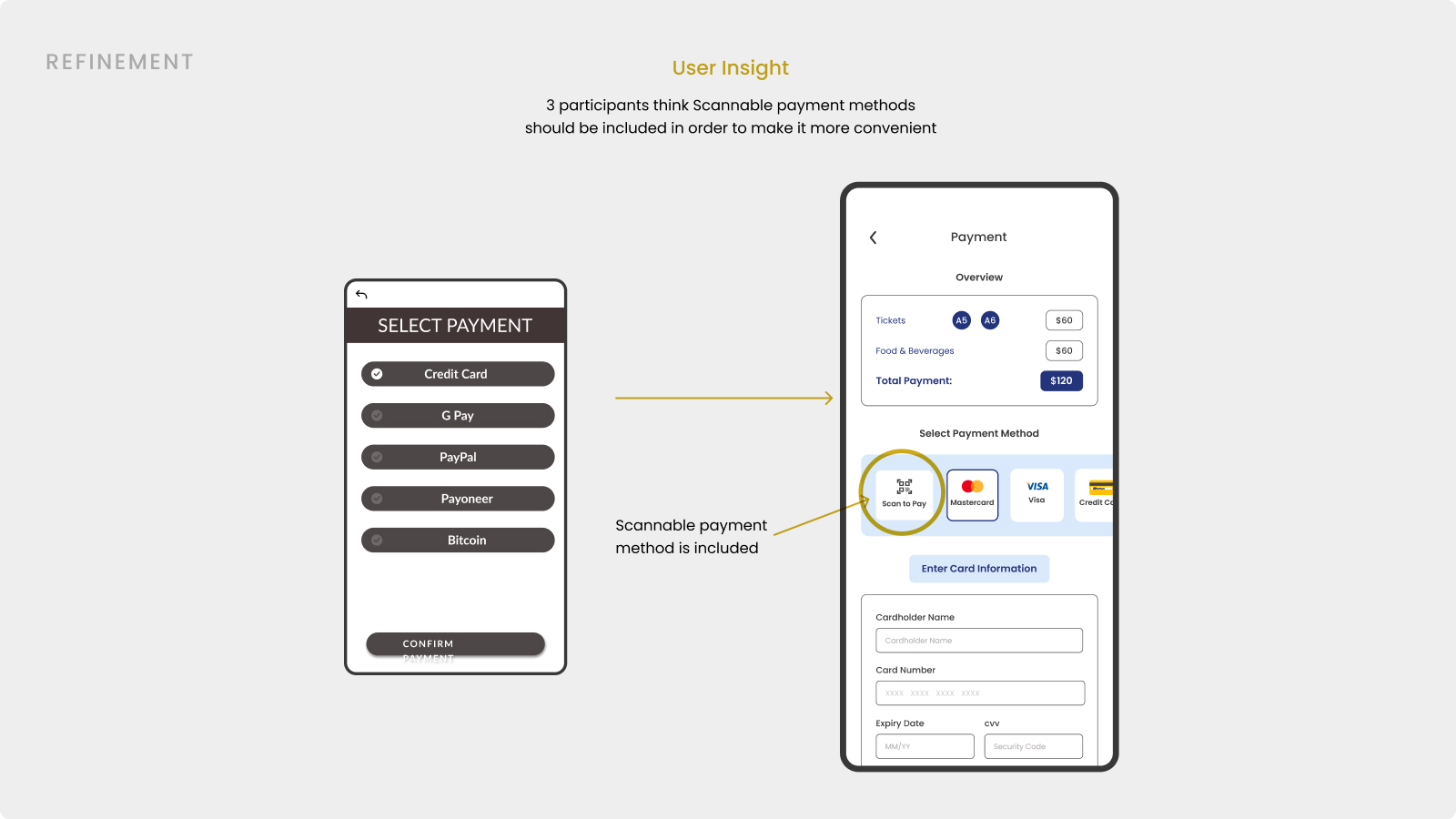
To refine the app, I conducted a usability test with 5 participants. During the usability test, all the participants were given a set of prompts and asked for their honest feedback. Findings are part of their feedback
To refine the app, I conducted a usability test with 5 participants. During the usability test, all the participants were given a set of prompts and asked for their honest feedback. Findings are part of their feedback
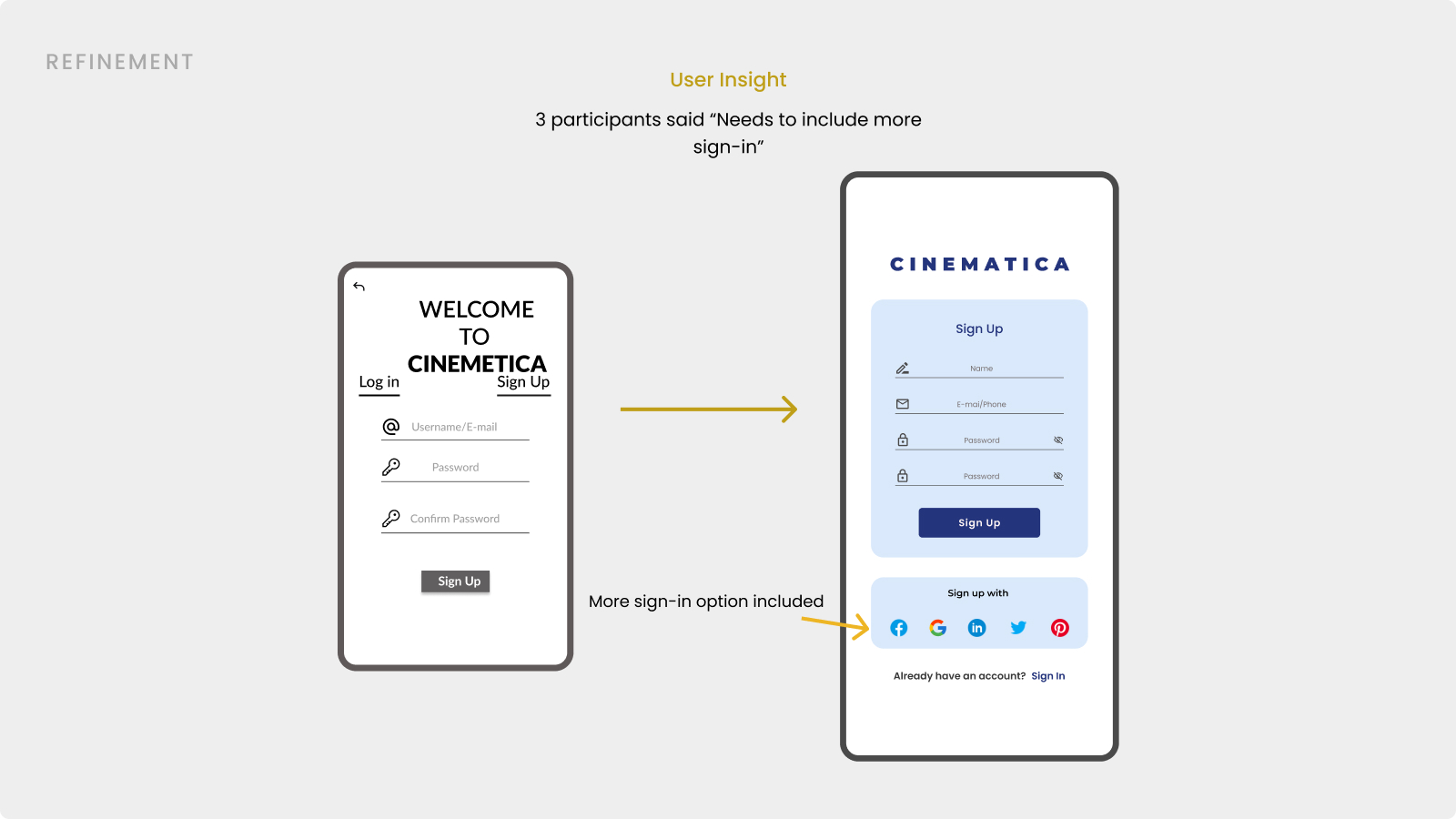
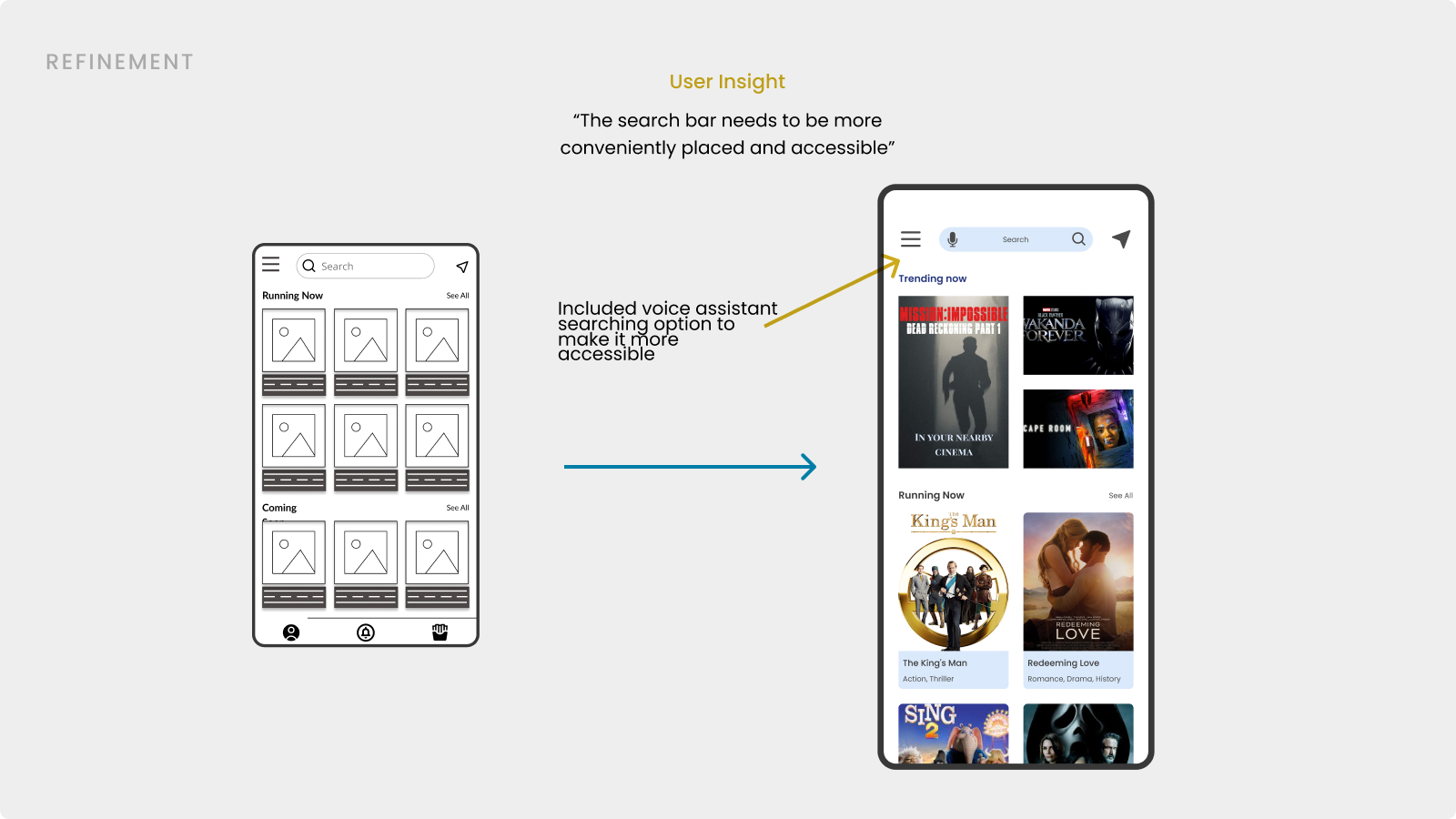
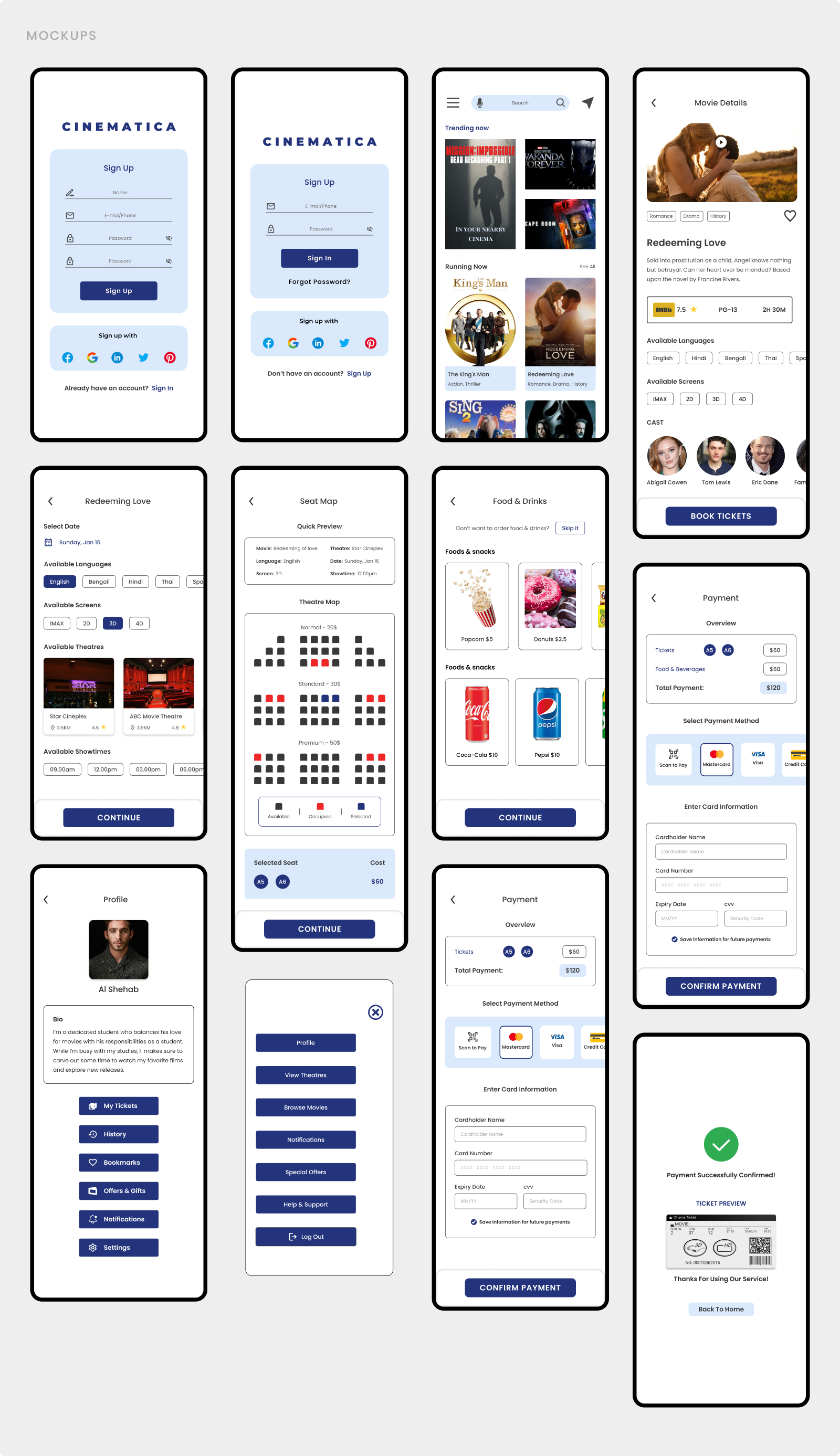
The user flow of this prototype was made to make sure that a user can finish all the processes to book a movie ticket. Users are able to select movies, select the closest theatre, and choose preferred seats, they also have the privilege to order food & drinks for the theatre.
From the project I learned that before making the design it’s brainstorm and made complete research to gather all the necessary data. Wireframe plays a great role while designing the UI on a digital tool. To understand the user flow and refine the design of the app, the usability study has a great impact on design.
I believe it’s really important to pay attention to every small detail and come up with a design that will ensure the best possible user experience.