Get in touch
alshehabuxd@gmail.com
The main objective of the project is to ensure good quality education for people without income or less income. Concept of the project is to design a dedicated mobile app and responsive website.
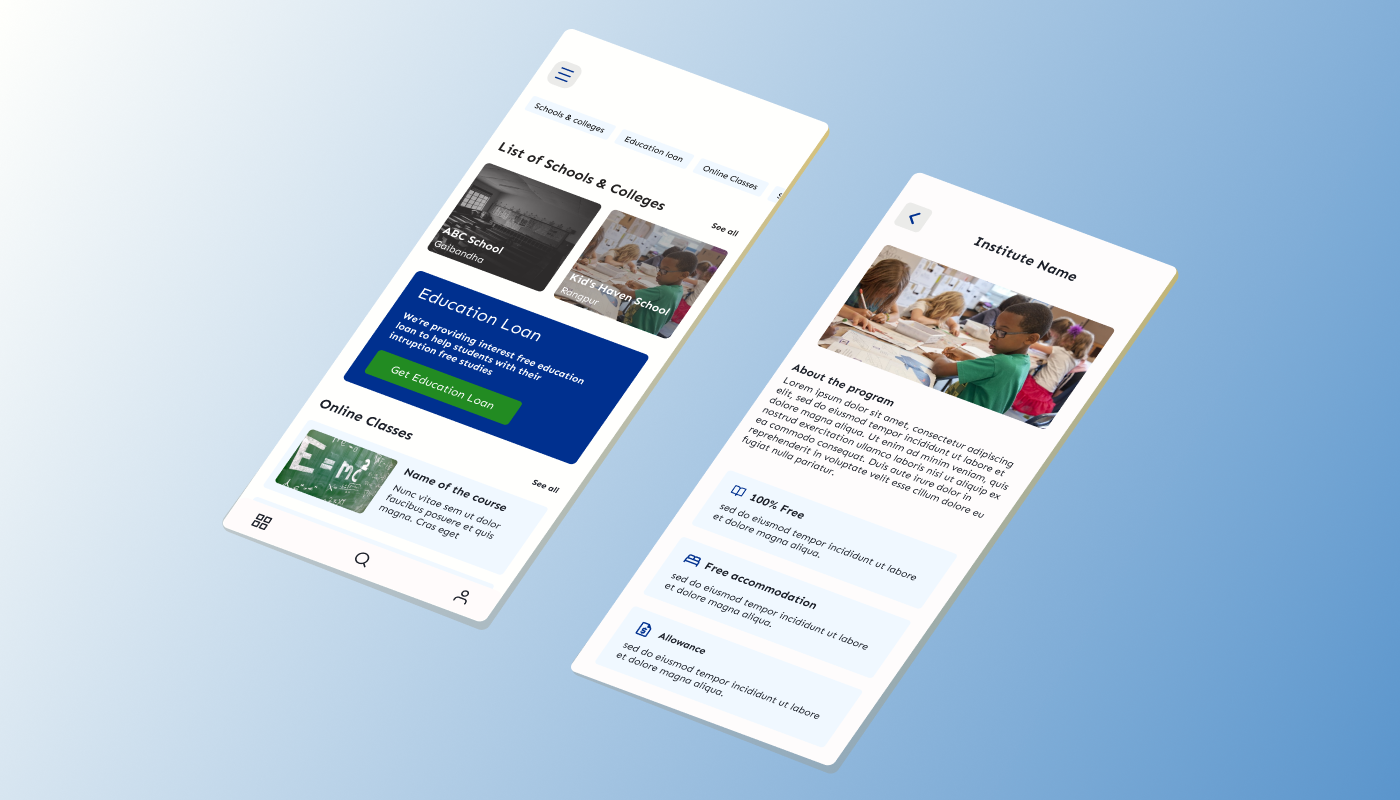
To consider diverse groups of people and their diverse needs. The main challenge is to make sure that people can access all the features of the product and make it add value to their lives.
The main goal is to make sure that people without an income and less income are receiving good quality education which will be for social good.
List the responsibilities I had throughout the project - user research, wireframing, visual designing, prototyping, conducting usability studies
In order to understand my users and their needs better, I had to reach out to my user groups who experienced financial hardships while trying to look for quality education.
Based on the insights collected from the users, I focused on refining those insights and making them applicable in real life scenarios.
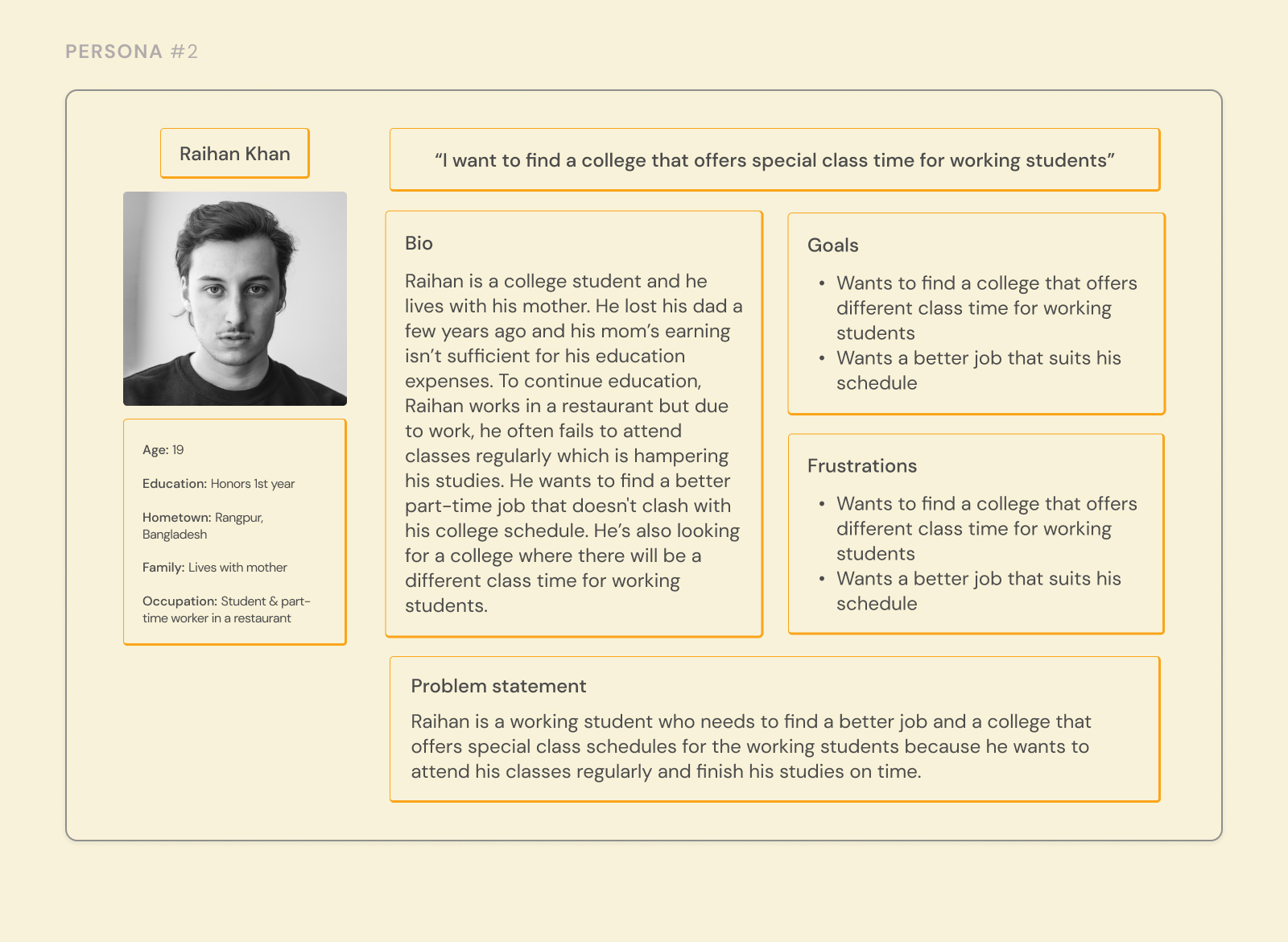
Raihan is a working student who needs to find a better job and a college that offers special class schedules for the working students because he wants to attend his classes regularly and finish his studies on time.
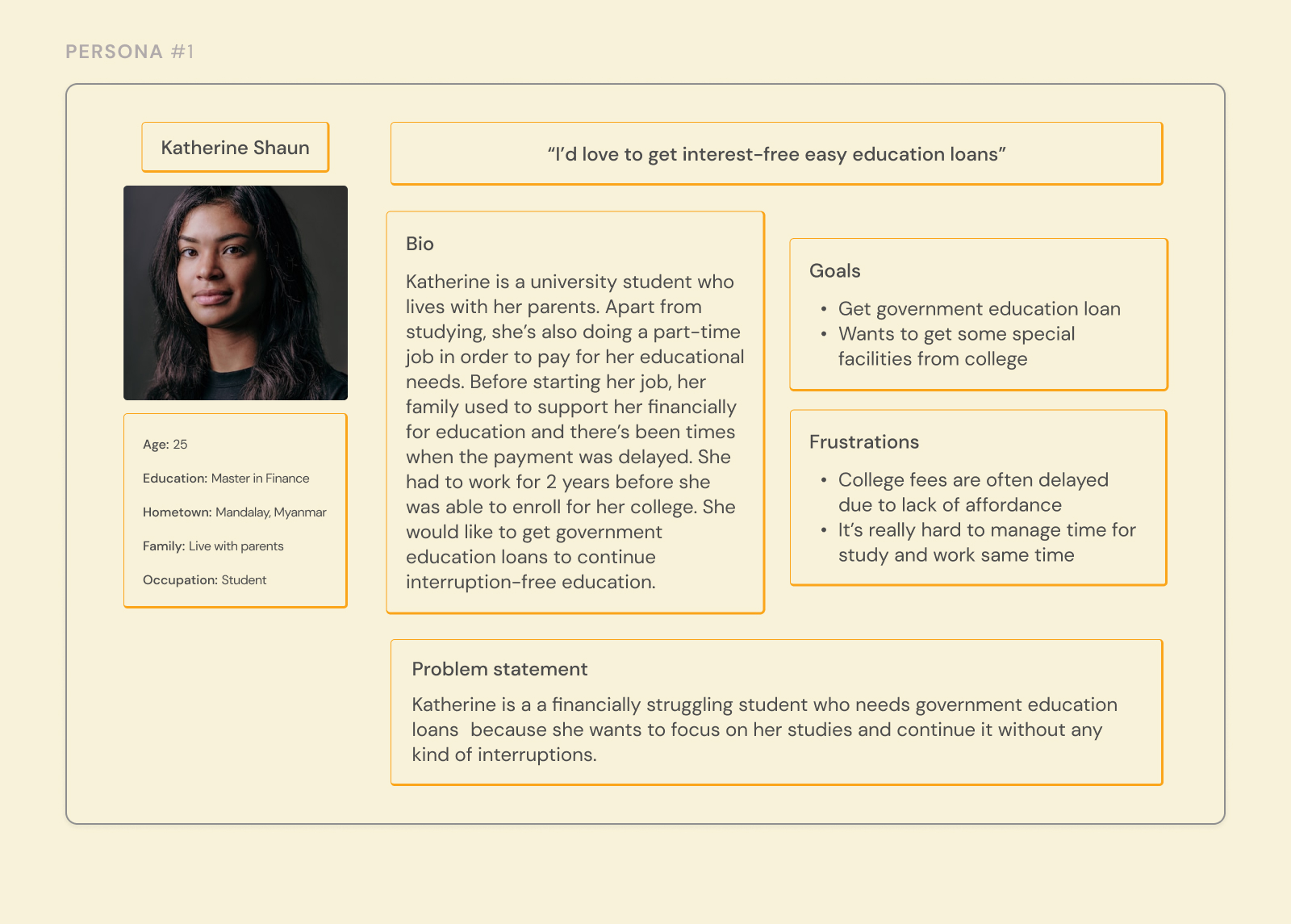
Katherine is a financially struggling student who needs to find government education loans because she wants to focus on her studies and continue them without any kind of interruptions
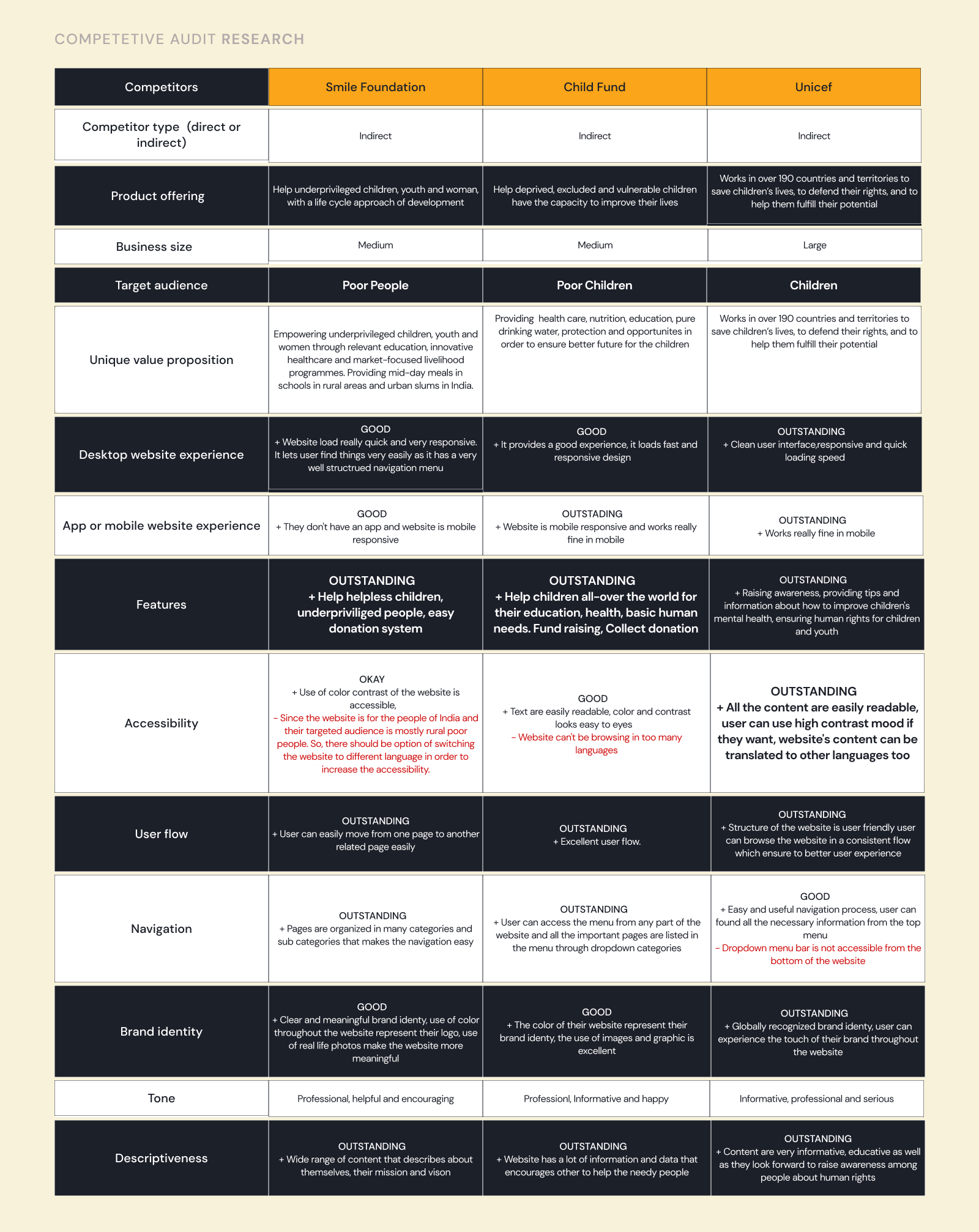
As this project is for social good, I didn’t consider the other organizations as my direct competitors. After doing the competitive audit, I found some areas of improvement.
After brainstorming and doing a survey. Based on the data I made my paper wireframes, while making these wireframes I had to keep in mind what will be the main task of the users and how they’d like to complete their task.
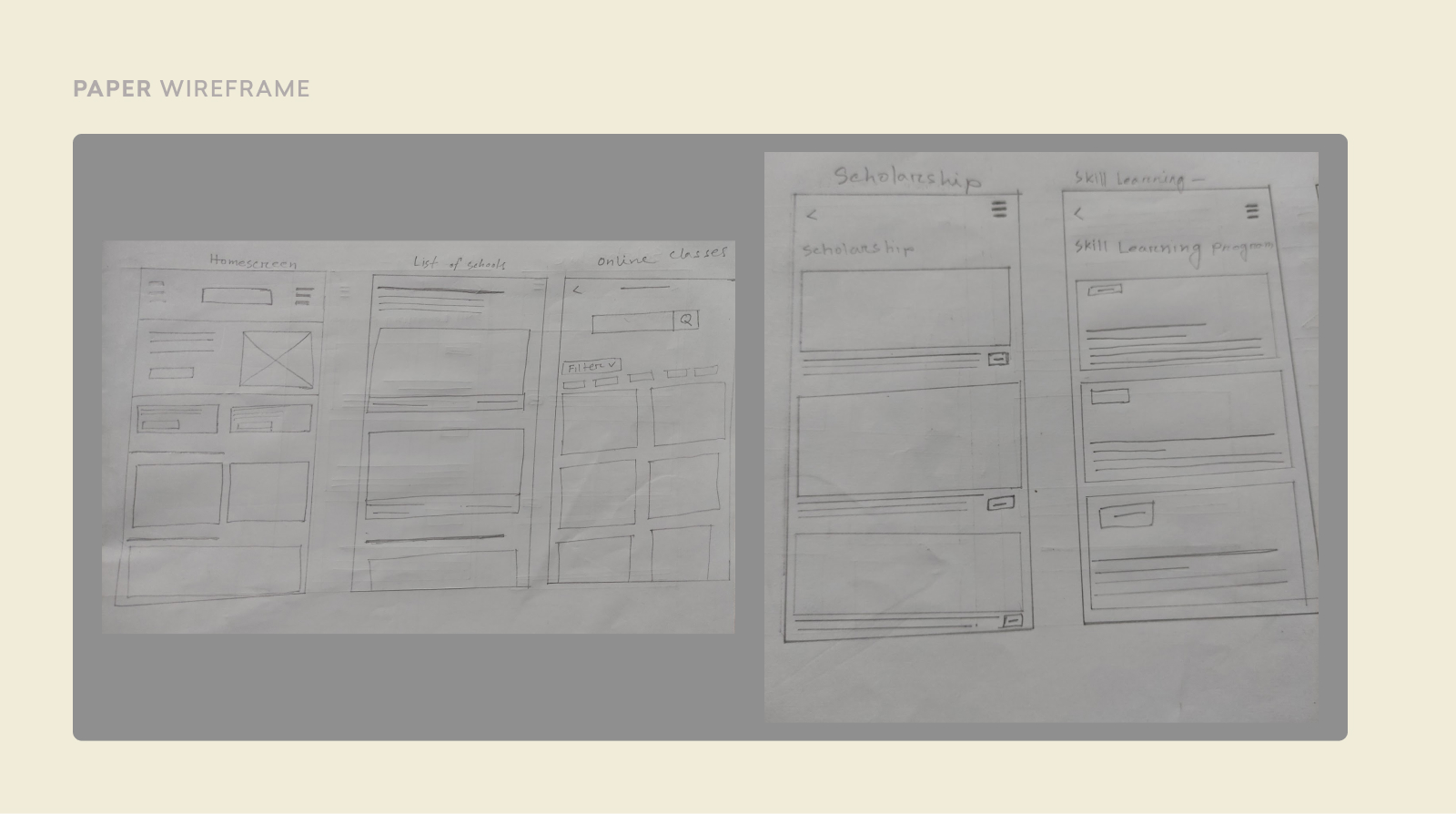
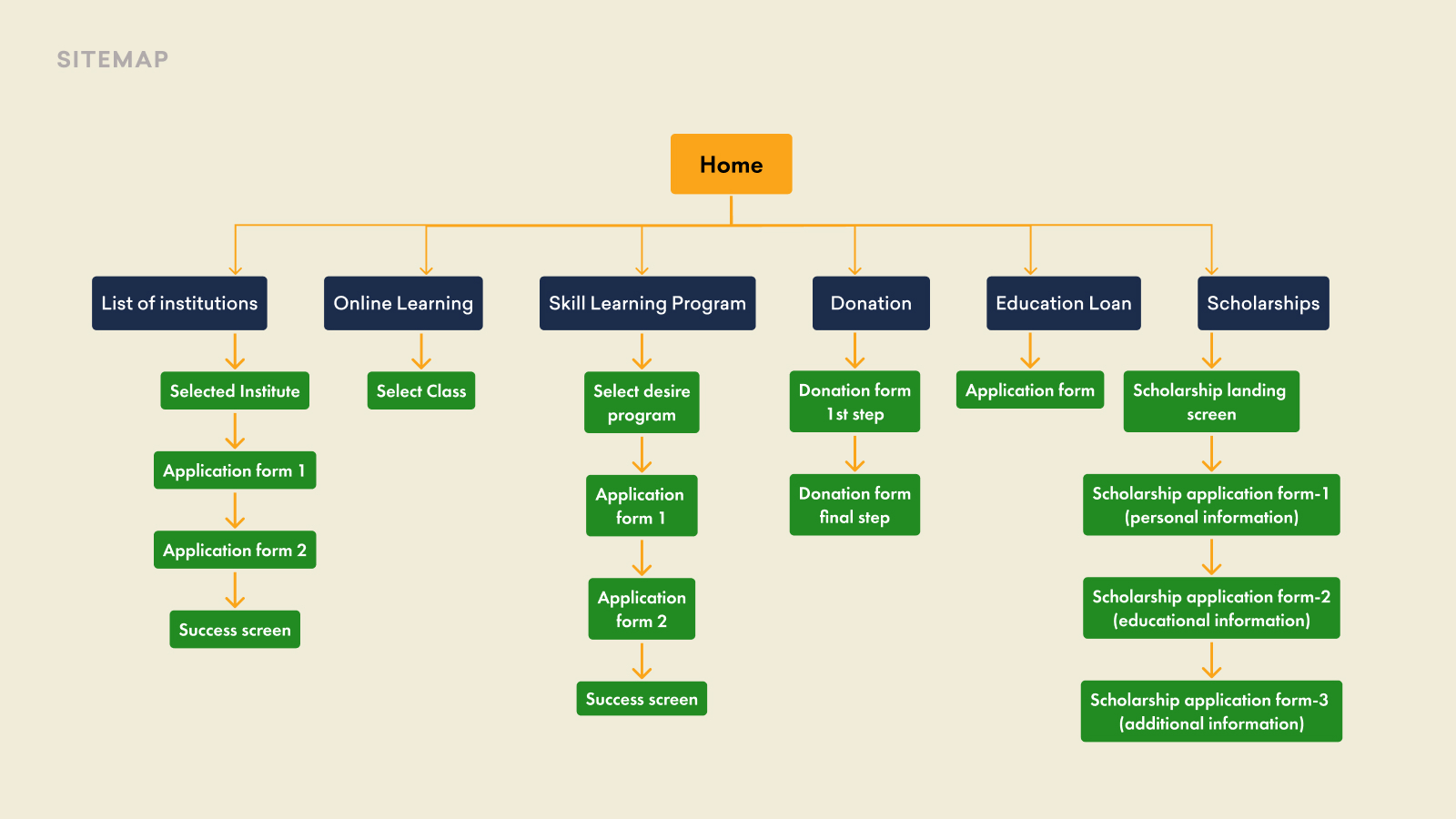
After brainstorming and doing a survey. Based on the data I made my paper wireframes, while making these wireframes I had to keep in mind what will be the main task of the users and how they’d like to complete their task.
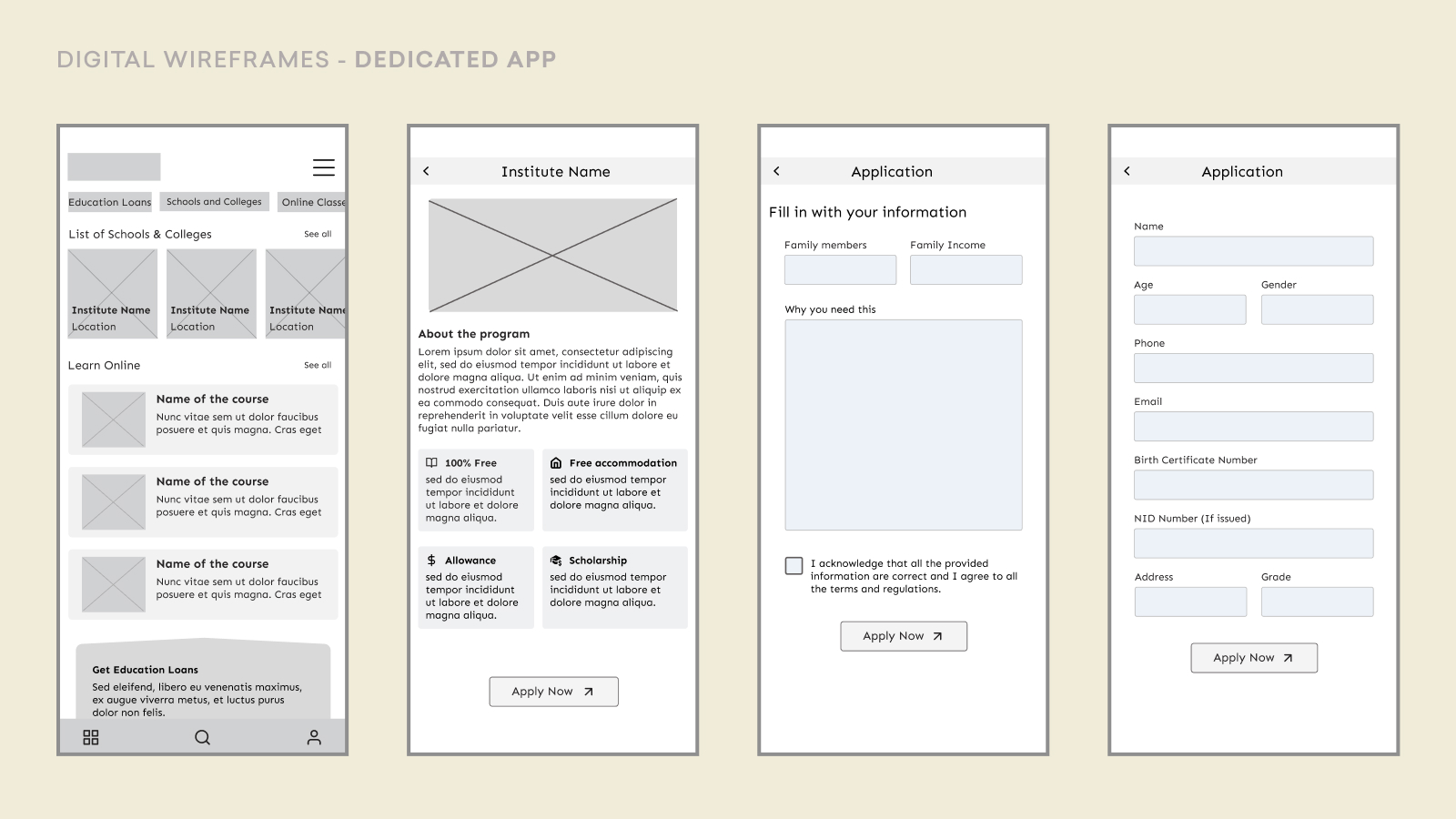
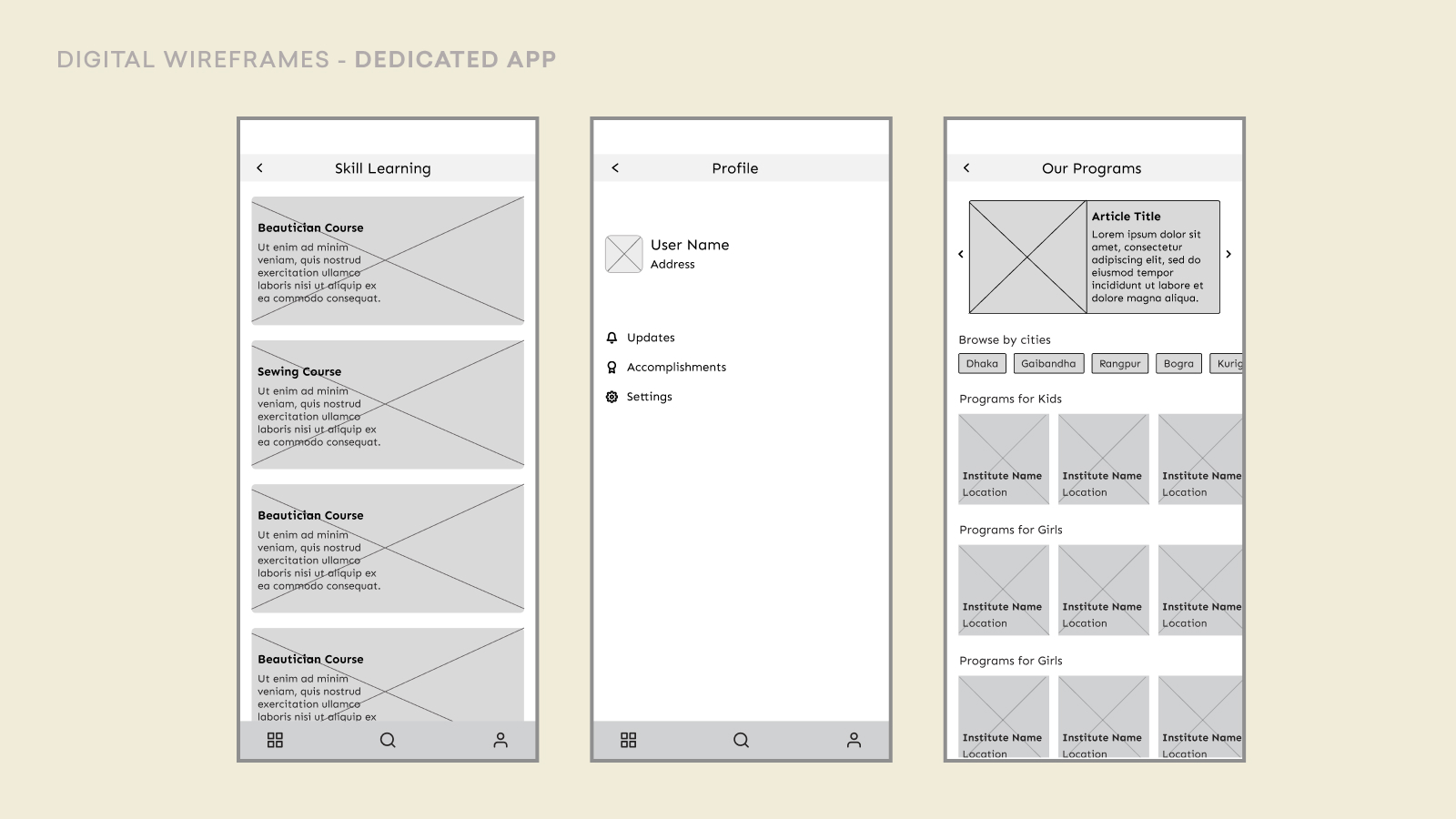
%201.jpg)
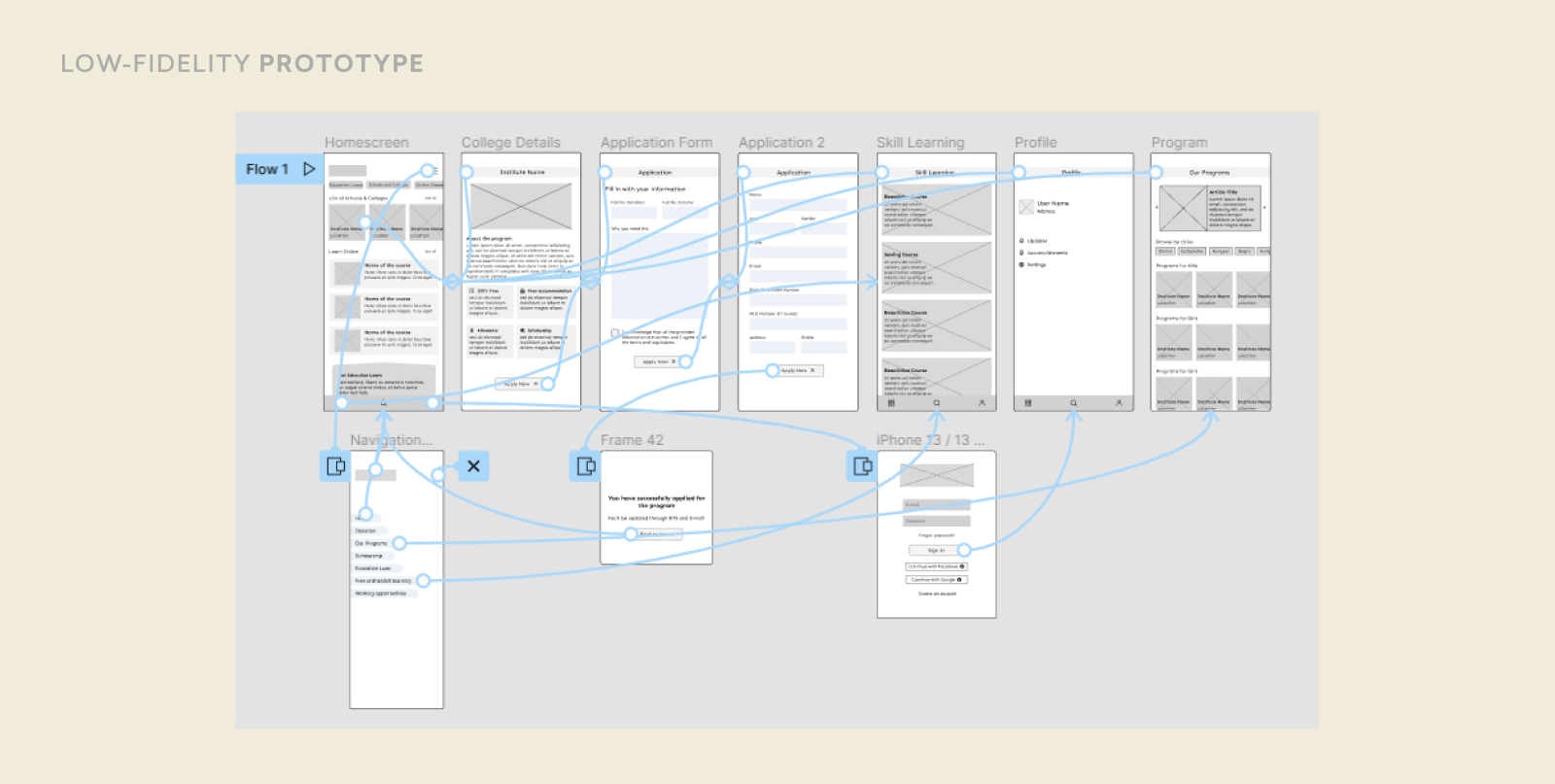
The lo-fi prototype focuses on the main task of the app. Through the testing of the lo-fi prototype, I got a clear view of how the user would like to interact with the app and its user flow.
Unmoderated usability study
Bangladesh, remote
5 participants
15 - 25 minutes
All the findings are gathered based on the unmoderated usability studies.
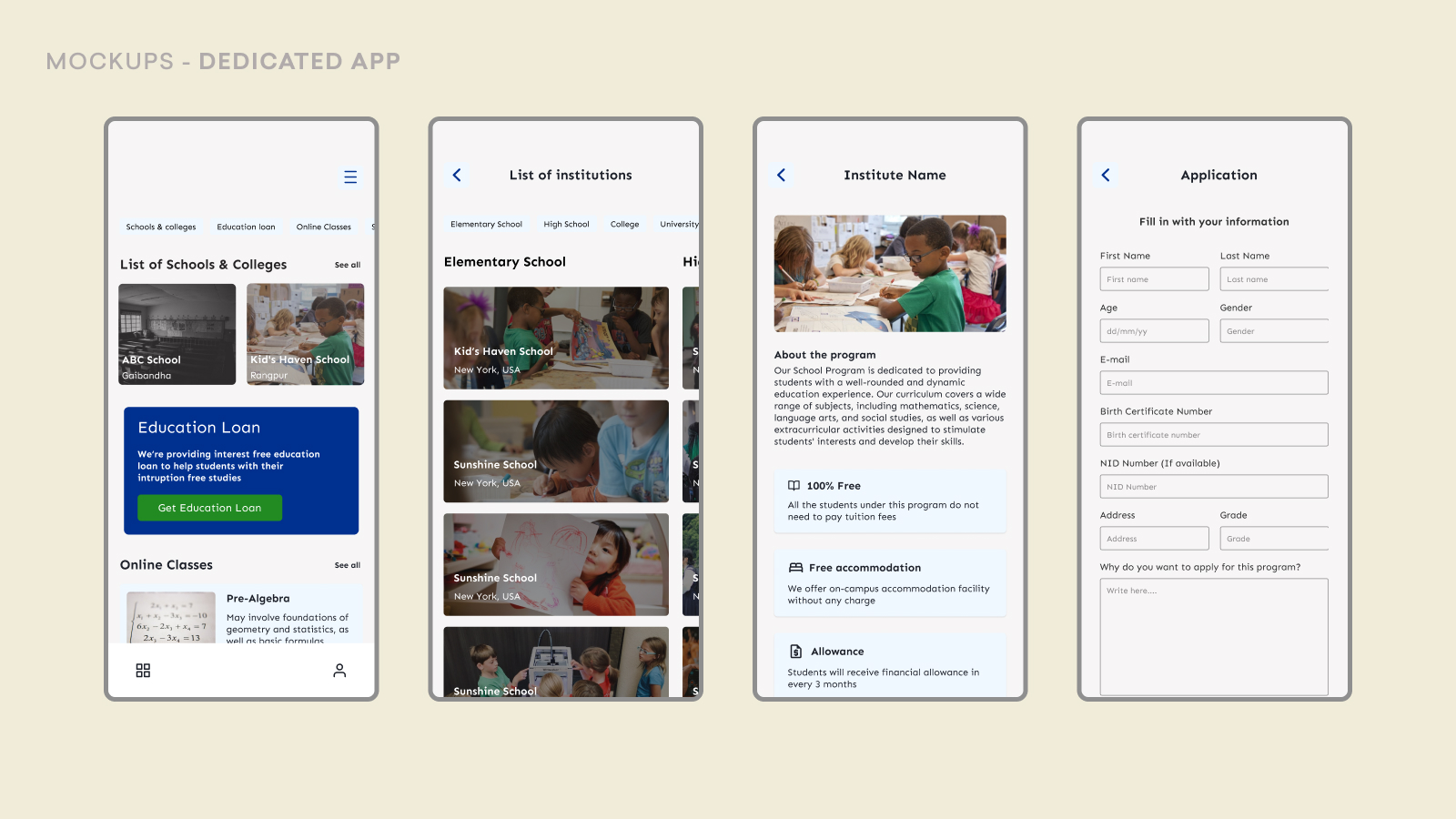
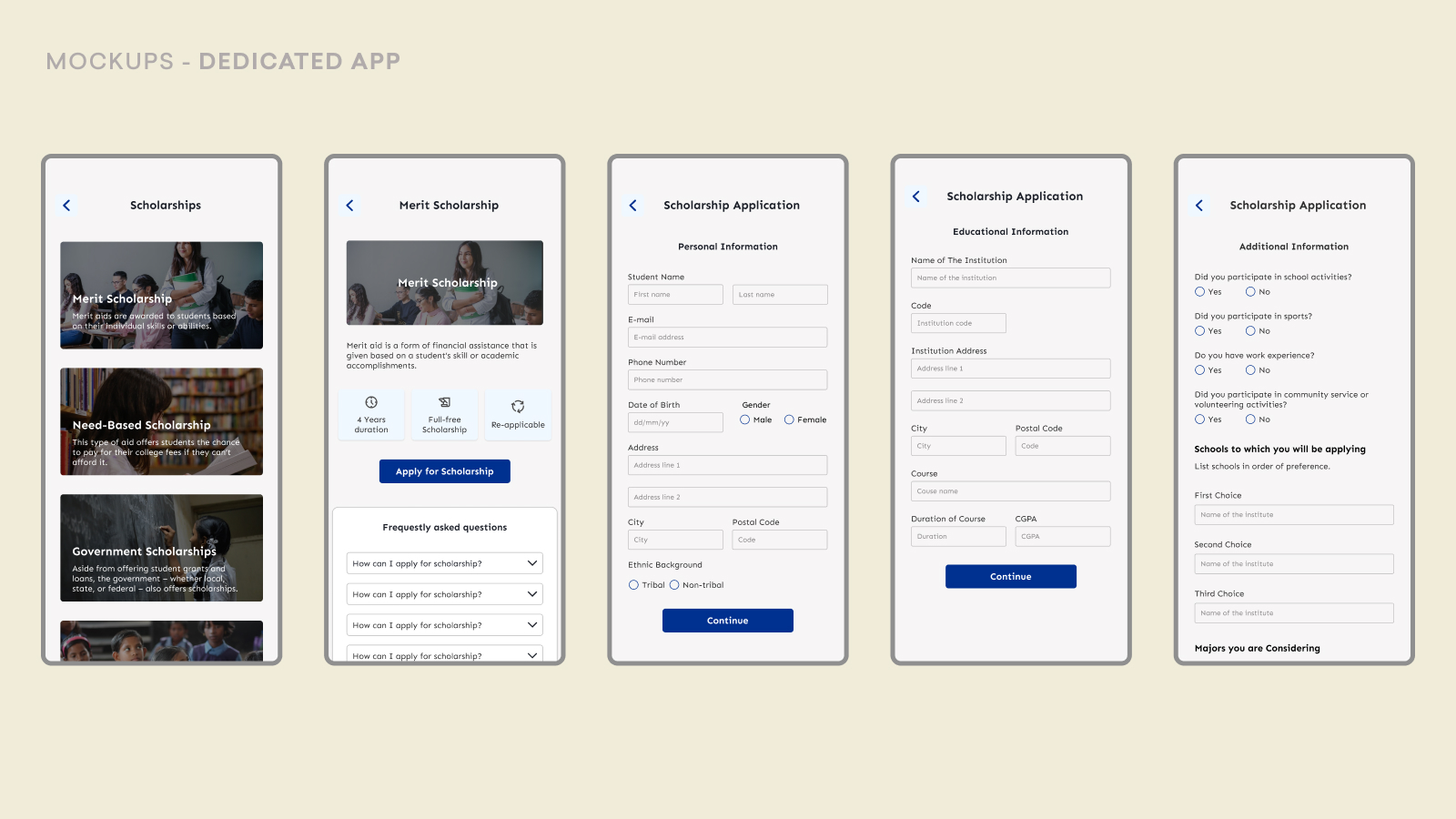
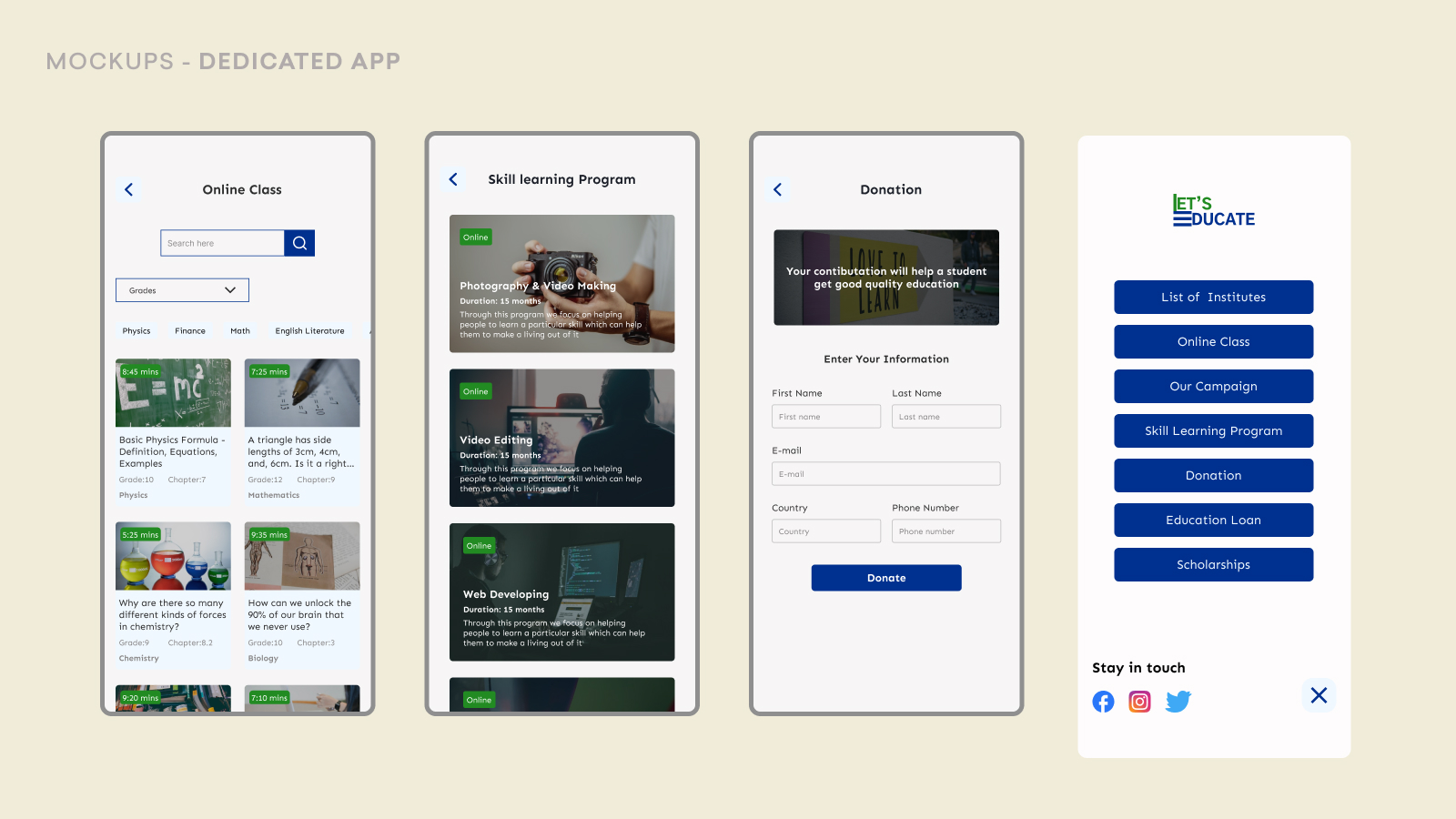
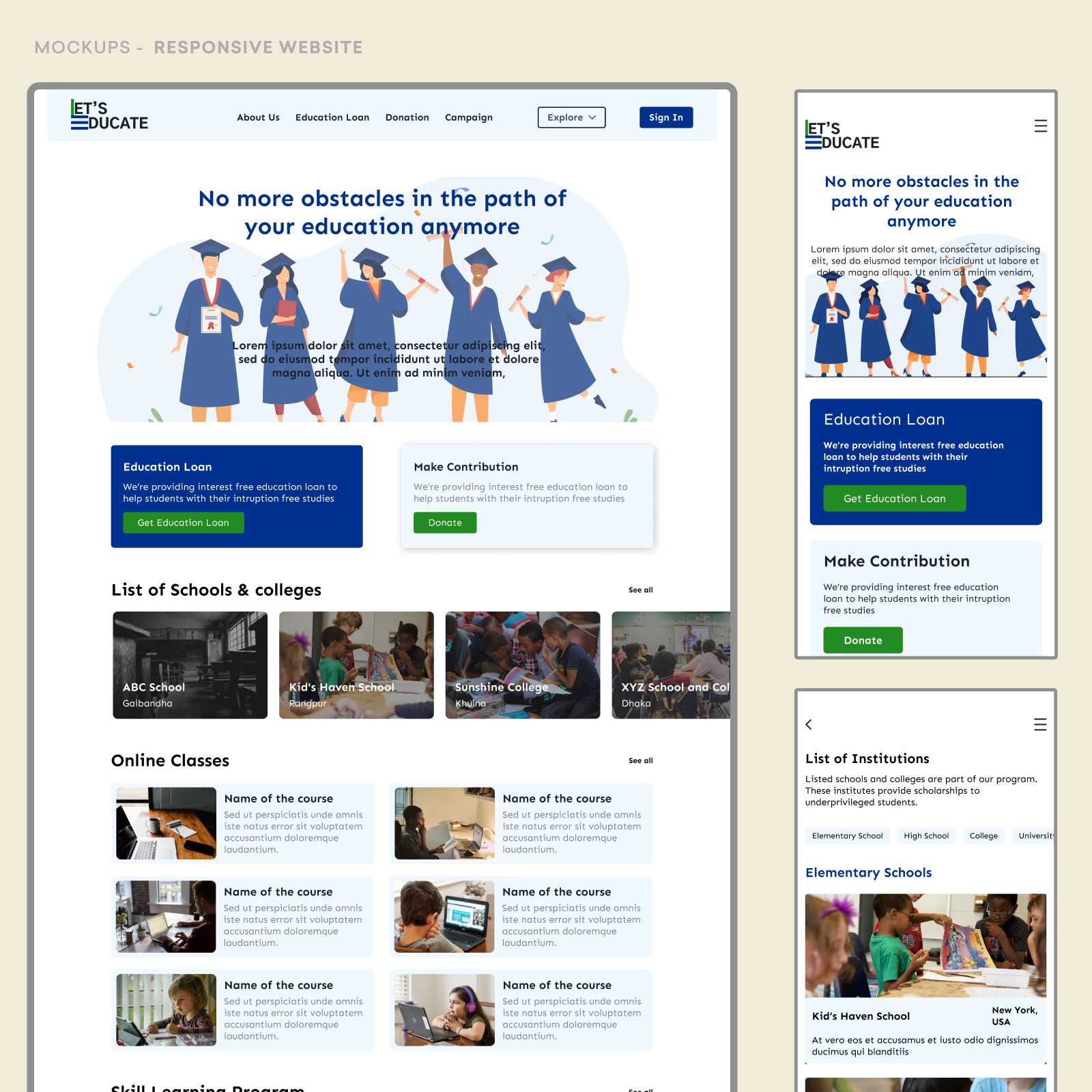
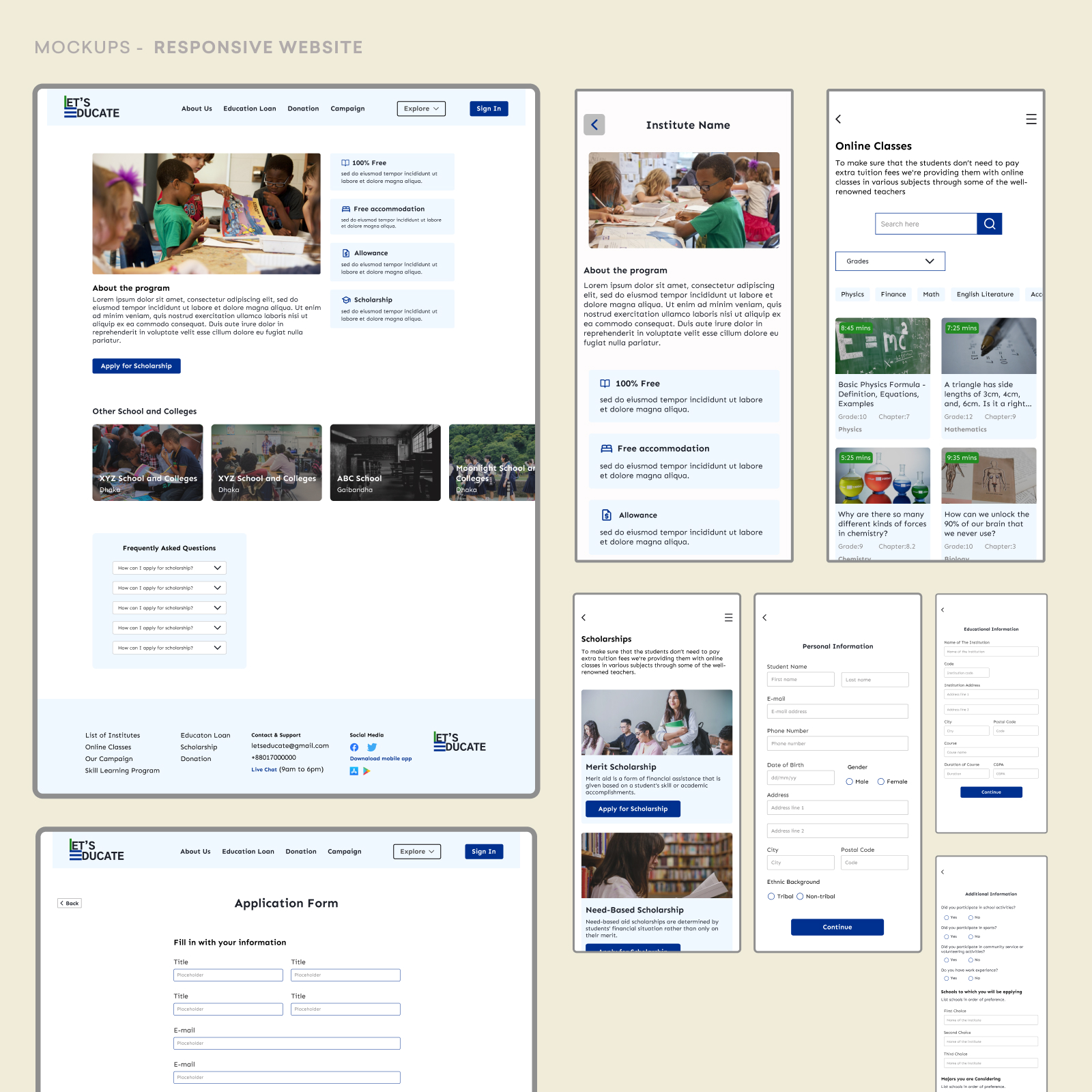
The lo-fi prototype focuses on the main task of the app. Through the testing of the lo-fi prototype, I got a clear view of how the user would like to interact with the app and its user flow.